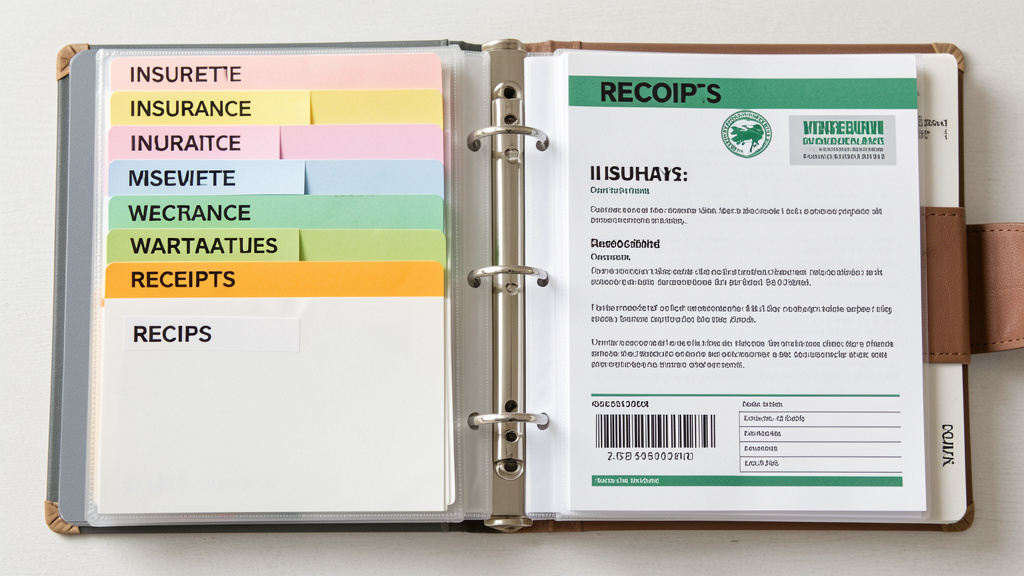
Stop the Stress of Scrambling for Papers. Discover a Sustainable, Emotionally-Intelligent Framework That Adapts to Your Life—and Actually Gets Used.
Imagine never frantically searching for your insurance policy during a flooded basement emergency. Picture calmly handing a single folder to your teenager as they leave for college, containing every document they’ll need for years. Envision your spouse navigating a medical crisis without drowning in paperwork because critical information is instantly accessible. A truly resilient home documentation system isn’t about perfectionist filing—it’s a compassionate architecture of care designed to protect your household’s well-being across decades. This guide delivers a psychologically-grounded framework adapted for real-world sustainability, emotional friction points, and life’s unpredictable rhythms. Grounded in observable patterns of household management and cognitive science principles, this approach prioritizes function over form, clarity over complexity, and compassion over rigidity.
Introduction
In the quiet hum of daily life, a silent challenge persists in homes everywhere: the weight of disorganized records. Birth certificates buried beneath expired coupons. Vehicle titles lost in digital voids. Medical histories scattered across email inboxes, cloud folders, and forgotten desk drawers. The consequences extend beyond momentary frustration—they can delay critical healthcare, complicate legal transitions after loss, jeopardize insurance claims, and amplify stress during already overwhelming moments. Yet despite countless online checklists listing “50 Documents You Must Keep,” most households remain trapped in exhausting cycles: a weekend of heroic organizing followed by gradual decay into chaos, triggering shame, avoidance, and renewed panic when crisis strikes.
Why do well-intentioned efforts consistently falter? Because conventional advice treats documentation as a static filing problem rather than a dynamic human behavior challenge. It overlooks the emotional friction of decision fatigue, the cognitive load of complex categorization, and the reality that life rarely accommodates rigid systems. Based on observable patterns across diverse household contexts, the most enduring documentation systems share three non-negotiable traits: they demand minimal ongoing cognitive effort, they integrate seamlessly into existing daily rhythms rather than adding new chores, and they explicitly design for human inconsistency—building gentle guardrails that maintain function even during busy seasons, grief, or burnout. This guide moves decisively beyond superficial tips and fragmented app recommendations. We introduce the Resilient Records Framework: a holistic, adaptable methodology grounded in cognitive science and practical sustainability. Whether you face a mountain of unsorted papers, a chaotic digital landscape, or simply seek to refine an existing system, you will discover how to transform documentation from a dreaded obligation into an empowering, almost invisible practice of proactive care—a legacy of clarity for yourself and everyone you love.
The Resilient Records Framework: Three Interlocking Layers for Lifelong Order
At its core, a resilient home documentation system rests not on binders, apps, or filing cabinets alone, but on three interdependent psychological and structural layers: Foundation (strategic clarity on what matters and why), Flow (intuitive pathways for how documents move through your life), and Future-Proofing (deliberate design for who can access critical information across time and transition). This layered architecture directly addresses the three common pitfalls of conventional approaches: Foundation eliminates overwhelm by replacing arbitrary checklists with purpose-driven prioritization; Flow eradicates maintenance friction by embedding micro-habits into existing routines; Future-Proofing ensures the system serves others when you cannot—transforming documentation from self-focused organization into an act of profound care.
Unlike rigid “binder-only” or “app-only” prescriptions that ignore individual household dynamics, this framework adapts fluidly. A minimalist renter in a studio apartment implements the same core principles as a multi-generational family managing complex estates—the execution scales, the philosophy remains constant. Each layer leverages established cognitive principles: separating the high-stakes “what to keep” decisions (Foundation) from the routine “where to file” actions (Flow) reduces decision fatigue by distributing cognitive load across distinct phases. Embedding processing triggers directly into daily habits (like sorting mail while coffee brews) leverages the neuroscience of habit stacking, making upkeep feel effortless rather than burdensome. Most critically, designing explicitly for accessibility during emergencies or life transitions acknowledges a universal truth: the ultimate test of any documentation system is whether it functions without you.
The Fundamental Principle: A documentation system succeeds not by demanding flawless consistency, but by designing compassionate guardrails that maintain function through human imperfection—because resilience is built for real life, not ideal conditions.
Layer 1: Foundation – The Strategic Core of Clarity
The Foundation layer resolves the most paralyzing question haunting every organizing attempt: “What documents truly deserve space in my life?” Without this strategic clarity, even the most elegant filing cabinet becomes a repository of anxiety. We move beyond generic checklists to a purpose-driven triad: the Critical Six categories (defining scope), the Retention Timeline Matrix (defining duration), and the 90/90 Rule (defining priority). This triad transforms overwhelming ambiguity into confident, repeatable decisions.
Component 1: The Critical Six Document Categories – Your Organizing Compass
Every essential household record belongs to one of six universal categories. Memorizing these categories replaces chaotic sorting with intuitive grouping. For each, we define precise scope, provide concrete examples across common life scenarios, highlight critical exceptions, and address frequent pitfalls. This structure ensures no critical document falls through the cracks while preventing non-essentials from consuming mental or physical space.
Category 1: Identity & Legal Standing
Scope: Documents proving your legal existence, citizenship, and core relationships.
Essential Items: Birth certificates (all household members), adoption decrees, citizenship/naturalization papers, current and recently expired passports (within 5 years), Social Security cards (or national ID equivalents like UK National Insurance numbers, Canadian SIN cards), marriage licenses, divorce decrees, custody agreements, name change court orders.
Why It Matters: These are typically required for establishing identity in significant life transactions: school enrollment, passport renewal, inheritance claims, government benefits, or proving kinship during medical emergencies. Without accessible copies, simple processes can become unnecessarily complicated.
Critical Security Protocol: Store originals of irreplaceable items (birth certificates, Social Security cards) in a UL-rated fireproof/waterproof safe (minimum 1-hour fire rating) or a bank safety deposit box. Maintain certified copies or high-quality color photocopies in your active home system for daily/reference use. Never carry originals unnecessarily.
Real-Life Scenario: If a wallet is stolen during travel, having a color photocopy of the passport and driver’s license stored securely (such as in a password-protected note on a phone) can allow the individual to file a police report immediately and begin replacement processes at the embassy within hours, while the original passport remains safely locked at home.
Common Pitfall: Storing originals in easily accessible but insecure locations (desk drawers, unlocked filing cabinets). Solution: Use the “Originals vs. Working Copies” distinction rigorously. Only retrieve originals for specific, verified requirements (e.g., passport renewal appointment).
Category 2: Property & Asset Titles
Scope: Legal proof of ownership for significant tangible and intangible assets.
Essential Items: Real estate deeds (current property), mortgage agreements and payoff statements, vehicle titles (cars, boats, RVs), loan documents for major assets (RVs, significant equipment), stock/bond certificates (if held physically), timeshare agreements, fractional ownership contracts.
Digital Asset Nuance: For cryptocurrency, domain names, or valuable digital collections, this category includes access instructions only (wallet recovery phrases stored offline in safe, domain registrar logins in password manager)—never the actual assets. Store these instructions securely within your Future-Proofing protocol (Layer 3).
Critical Exception: Vehicle titles are frequently overlooked after payoff. Once a loan is satisfied, the lender mails the clear title—this must be filed immediately. A missing title can delay or prevent vehicle sale.
Proactive Tip: Photograph the VIN plate (usually on driver’s side dashboard) and engine serial number for each vehicle. Store this photo with the title file. During insurance claims after accidents where the physical title may be inaccessible, this visual proof can accelerate processing.
Regional Consideration: In jurisdictions requiring property tax receipts for title transfers (common in parts of Europe and Asia), retain the last 3-5 years of paid receipts with the deed file.
Category 3: Financial Command Center
Scope: Records enabling financial management, verification, and historical tracking.
Essential Items: Current year bank statements (all accounts), investment account summaries (brokerage, retirement), recent tax returns (with all schedules and W-2s/1099s), records of major purchases (appliances, electronics >$500 for warranty/insurance), business records if self-employed.
Retention Nuance Deep Dive:
– Tax Records: IRS guidelines suggest keeping returns and supporting documents for 3 years (standard audit window). However, retain for 6 years if income was underreported by 25%+, and indefinitely for fraudulent returns or unfiled returns. State requirements vary significantly (e.g., California recommends 4 years). Consult a tax professional for your specific risk profile.
– Bank Statements: Keep monthly statements only until verified against year-end summaries. Retain year-end summaries for 7 years. Shred monthly statements after reconciliation.
– Major Purchase Receipts: Keep until warranty expiration plus one year, or until item is sold/donated. For insurance purposes (proving value after loss), photos/videos of the item in use often suffice after the first year.
Budget-Friendly Adaptation: Instead of physical filing, create a digital folder structure: Finances > [Year] > [Account Type] (e.g., Finances > 2024 > Checking_BankOfAmerica). Use your bank’s secure download feature monthly. Set a calendar reminder for December 31st to archive the year’s folders and shred physical statements.
Digital Security Imperative: Never store unencrypted financial PDFs on your computer desktop or in basic cloud folders. Use encrypted containers (VeraCrypt) or store within your password manager’s secure file storage feature.
Category 4: Health & Medical History
Scope: Documentation supporting current care, future treatment, and emergency response.
Essential Items: Immunization records (all household members), surgical reports, chronic condition management plans (diabetes, heart disease), current prescription lists (with dosages, frequencies, prescribing physicians), advance directives (living wills, healthcare proxies), mental health treatment summaries (with provider contacts), durable medical equipment manuals/warranties.
Life-Saving Component: Create a one-page Emergency Medical Summary for each household member. Include: blood type, critical allergies (with reaction severity), current medications (names, doses, times), primary care physician contact, specialist contacts, chronic conditions, and emergency contacts. Place this summary at the very front of each person’s medical section. Update quarterly or after any medication change.
Family-Specific Adaptations:
– Households with Children: Maintain a dedicated sub-section per child with growth charts, vaccination schedules (CDC or country-specific), school physical forms, IEP/504 plans, and pediatrician contacts. Include a “First Day of School” checklist folder with required forms.
– Caregivers of Elderly Parents: Centralize medication lists (updated after every doctor visit), doctor/hospital contacts, insurance cards (Medicare/Medicaid details), care facility contracts, and power of attorney documents. Add a “Hospital Bag Checklist” noting preferred items (glasses, hearing aids, comfort objects).
Critical Caution: Never store original medical records required for immediate access (child’s school vaccination card, current insurance card) in an off-site safety deposit box. Keep working copies readily available; store originals per healthcare provider guidance.
Category 5: Insurance Inventories
Scope: Proof of coverage and documented evidence of possessions.
Essential Items: Policy declarations pages (homeowners/renters, auto, life, health, umbrella, pet), current coverage limits and deductibles, claims histories (last 5 years), and crucially—a detailed home inventory.
The Underrated Power of Visual Inventory: Annually (or after major purchases), conduct a room-by-room video walkthrough. Narrate clearly: “Master bedroom closet: black leather coat purchased 2022 from Nordstrom, receipt filed under Finances/2022; diamond engagement ring appraised 2021, copy of appraisal in Safe.” Pan slowly over shelves, inside closets, under beds. Store this video file encrypted in cloud storage and on a USB drive kept with your safe key. After a fire or flood, this visual evidence can significantly strengthen your claim. Supplement with timestamped photos of high-value items showing serial numbers.
Common Oversight: Renters frequently neglect contents insurance documentation. Without proof of belongings (photos, receipts), claims may rely on estimates. A brief monthly photo session of new purchases builds credible evidence over time.
Policy Maintenance Tip: When renewing policies, immediately file the new declarations page and shred the old one (unless needed for a pending claim). Highlight key changes (coverage increase, deductible adjustment) on the new page with a colored pen for quick reference during claims.
Category 6: Legacy & Future Planning
Scope: Documents guiding decisions after incapacity or death, and instructions for dependents.
Essential Items: Last will and testament, revocable/irrevocable trusts, durable power of attorney (financial), healthcare power of attorney, living will/advance directive, funeral/burial/memorial instructions, letters of intent for minor children or dependents with special needs, beneficiary designations for retirement accounts/life insurance (keep copies; originals held by institutions).
Addressing Emotional Friction: This category triggers avoidance for understandable reasons. Reframe the work: “Completing this is not about death; it’s about love. It prevents family conflict during grief. It ensures your child is raised by people you choose. It gives your spouse clear direction when emotions are overwhelming.” Start small—draft just the funeral instructions today. Build momentum.
Professional Guidance Boundary: While DIY templates exist online, households with blended families, minor children, special needs dependents, significant assets, or complex business interests require consultation with an estate planning attorney. This guide provides organizational structure, not legal advice. Store attorney-contact information prominently within this category.
Critical Storage Protocol: Original wills/trusts are often held by the drafting attorney or in a bank safe deposit box (verify local laws—some jurisdictions restrict access after death). Keep a certified copy in your home safe with explicit instructions: “ORIGINAL WILL HELD BY [ATTORNEY NAME], [LAW FIRM], [PHONE]. CONTACT IMMEDIATELY UPON MY PASSING.” Include the attorney’s contact details on your ICE sheet (Layer 3).
Component 2: The Retention Timeline Matrix – Ending the “How Long?” Debate
Indecision about retention periods fuels paper accumulation. This actionable matrix replaces guesswork with clear, defensible guidelines. Print this table and keep it visible during sorting sessions.
| Document Type | Retain Duration | Action at Expiry | Critical Exceptions |
|---|---|---|---|
| Tax Returns & Supporting Docs | 3-7 years | Shred physical; delete digital | Keep 6+ years if underreported income >25%; indefinitely for fraud/unfiled returns; consult tax pro for business ownership |
| Bank/Investment Statements | 1 year (monthly); 7 years (year-end) | Shred monthly after verifying year-end summary | Keep indefinitely for accounts tied to major asset purchases (home down payment proof) |
| Pay Stubs | Until W-2 verified (Jan-Feb) | Shred immediately after tax filing | Keep if self-employed for quarterly tax calculations |
| Medical Bills/Records | 1-7 years | Shred after insurance settlement | Keep indefinitely for chronic conditions, major surgeries, or ongoing treatment; retain vaccination records permanently |
| Warranties | Duration of warranty + 1 year | Shred after expiration | Keep photos of high-value items beyond warranty for insurance claims |
| Utility Bills | 1 year (unless for reimbursement) | Shred | Keep if claiming home office deduction (IRS requires proof of utility costs) |
| Credit Card Statements | 1 year (after reconciling) | Shred | Keep statements showing major purchases covered by extended warranty |
| Home Improvement Records | Until sale of property + 3 years | Archive digitally after sale | Critical for calculating cost basis to reduce capital gains tax; keep receipts, contracts, permits |
| Vehicle Maintenance Records | Until vehicle sold | Provide to buyer; shred old records | Retain title indefinitely after sale as proof of disposal |
| Children’s School Records | Until college admission confirmed | Archive sentimental items selectively | Keep IEPs/504 plans until age 26 (for potential college accommodations); retain report cards selectively for memory books |
| Expired Insurance Policies | 1 year after expiration | Shred | Keep if policy covered a claim that might have future implications (e.g., liability) |
Applying the Matrix: When holding a document, ask: “What category does this belong to?” Then consult the matrix. No debate. No “just in case.” This externalizes the decision, reducing emotional strain. For gray areas (e.g., a closed credit card statement from 4 years ago with no major purchases), apply the 90/90 Rule below.
Component 3: The 90/90 Rule – Your Antidote to Decision Fatigue
When overwhelmed by a document pile or uncertain about an item not covered in the matrix, deploy this cognitive filter: “Have I used this document in the last 90 days? Will I realistically need it in the next 90 days?” If the answer to both questions is “no,” discard or archive it immediately.
Why It Works: This rule directly targets the “just in case” accumulation instinct by forcing concrete, time-bound reasoning. It acknowledges that most documents have a short functional lifespan.
Adaptation for Sentimental Items: For non-essential but emotionally valuable papers (children’s artwork, handwritten letters, graduation programs), designate one archival container with a strict physical limit (e.g., “One standard banker’s box per decade of family life”). When the box is full, curate—keep only the most meaningful items. This honors sentiment without allowing it to dominate your functional system. Label the box clearly: “Memories: [Years]” and store it separately from active records.
Psychological Safety Net: Set a recurring 10-minute timer every Sunday evening solely for processing incoming papers using the 90/90 Rule. This prevents backlog accumulation and makes the decision process routine rather than monumental. If you miss a week, process only items older than two weeks (recycle the rest) and restart—progress, not perfection, is the goal.
Layer 2: Flow – The Invisible Maintenance Engine
A flawless Foundation collapses without a sustainable Flow—the daily, weekly, and quarterly habits that keep documents moving efficiently with minimal conscious effort. Flow transforms organization from a periodic crisis into an almost invisible background process. We design your Flow around three non-negotiable pillars: the Single Capture Point, the Weekly Processing Ritual, and the Quarterly Deep Maintenance. Each pillar is engineered to leverage existing habits, minimize decision points, and forgive human inconsistency.
Pillar 1: The Single Capture Point – Ending Scattered Chaos
Designate one physical location and one digital location where every single incoming document lands—without exception. This is your system’s intake valve.
Physical Capture Point: A dedicated tray, basket, or inbox placed where mail is opened (kitchen counter, home office desk). Label it clearly: “TO PROCESS – PAPERS ONLY.” Non-negotiable rule: No document bypasses this point. Unopened mail goes here. School forms brought home by children go here. Receipts pulled from pockets go here.
Digital Capture Point: Create a dedicated folder named “TO PROCESS – DIGITAL” on your desktop and within your primary cloud storage (Google Drive, Dropbox). Configure email filters to auto-move document-related emails (from banks, insurers, schools) into a “Documents Inbox” folder. Save all downloaded PDFs (statements, policies) directly into the desktop “TO PROCESS” folder first—never to random locations.
Why This Fails Without Enforcement: Scattering papers across countertops or saving files haphazardly creates “black holes” where critical items vanish. The Capture Point creates visibility and containment.
Real-World Implementation: Placing a labeled tray next to the mail slot and spending a few minutes each evening placing that day’s mail into the tray—without sorting—can prevent paper accumulation. Similarly, creating a desktop folder named “!PROCESS NOW” (which sorts to the top) and processing it weekly maintains digital order.
Troubleshooting: If the Capture Point overflows, it’s a signal—not a failure. Set a timer for 15 minutes to clear the backlog, then reinforce the Weekly Ritual (next pillar). Never let overflow justify abandoning the system.
Pillar 2: The Weekly Processing Ritual – The 20-Minute Reset
Schedule 20 minutes weekly (e.g., Sunday evening after dinner, Friday morning before work) to transform the Capture Point into your organized Foundation system. Consistency matters far more than duration. Follow this precise sequence to avoid overwhelm:
1. SORT (5 mins): Empty the physical tray and digital folder. Separate items into five piles/folders:
– Action Required (bills to pay, forms to sign, time-sensitive items)
– File to Foundation (insurance policy, school form for child’s binder)
– Reference/Shred Later (catalogs, non-urgent mail)
– Shred Immediately (junk mail with personal info, expired coupons)
– Recycle (advertisements, non-personal mail)
2. ACT (7 mins): Handle only “Action Required” items. Pay one bill. Sign one form. Respond to one time-sensitive email. Do not get sidetracked by deep work. If an item requires >10 minutes, schedule it in your calendar and return the document to “Action Required” with a reminder note.
3. FILE (5 mins): Place “File to Foundation” items directly into their permanent category folders (Identity, Property, etc.). Use the Retention Matrix to decide immediately: “Does this go in active files or straight to archive/shred?”
4. PURGE (3 mins): Shred “Shred Immediately” items using a cross-cut shredder kept beside your desk. Recycle the rest. Empty the digital “TO PROCESS” folder after moving files.
Customization Toolkit:
– Visual Learners: Use color-coded folders during processing: Red = Action Required, Green = File, Blue = Reference, Black = Shred.
– Digital Natives: Use cloud storage tags (Dropbox, OneDrive) instead of folders. Tag files as #action, #file-medical, #shred. Process by filtering tags weekly.
– Family Integration: Turn it into a ritual. Play a specific “processing playlist.” Offer a small reward: “After we process the tray, we watch one episode of our show.” Assign age-appropriate roles: children sort mail into “Keep” and “Recycle” piles; teens manage digital folder cleanup.
– Overwhelm Protocol: If the tray is overflowing, process only items dated within the last 14 days. Recycle/shred everything older without review. Restart the ritual cleanly next week. Progress, not perfection.
Critical Insight: The Weekly Ritual’s power lies in its constraint. By limiting it to 20 minutes and following a strict sequence, you prevent the “I’ll just organize everything” rabbit hole that leads to burnout. This ritual builds compound clarity—one small weekly investment preventing massive future chaos.
Pillar 3: The Quarterly Deep Maintenance – System Health Check
Every three months (tie it to seasonal changes: after daylight saving time shifts, or quarterly tax dates), dedicate 45 minutes to system optimization. This is not about processing new documents—it’s about auditing and refining the system itself. Follow this checklist:
– Audit (15 mins): Scan each Foundation category folder. Remove expired documents per Retention Matrix (shred immediately). Verify insurance policies are current. Check medication lists for accuracy.
– Update (15 mins): Refresh the Emergency Medical Summary. Update emergency contact lists. Take new photos for home inventory if major purchases occurred. Verify safe combination or key location is still accessible to your trusted contact.
– Optimize (15 mins): Ask brutally honest questions:
– “Is the filing cabinet too far from the Capture Point?” → Relocate it.
– “Are digital folders too deeply nested?” → Flatten the structure.
– “Does the ‘Shred’ pile consistently overflow?” → Place shredder closer to Capture Point.
– “Is my spouse confused by the system?” → Co-create clearer labels together.
– Celebrate (5 mins): Acknowledge what’s working. “I found the car title in under 10 seconds last month—this system is saving us stress.” Positive reinforcement sustains motivation.
Scaling for Sustainability: If Quarterly feels burdensome, start with bi-annual (every 6 months). The goal is consistent attention, not rigor. Missing a quarter isn’t failure—simply reschedule the next one. The system is designed to withstand minor lapses.
Pro Tip: Keep a small “System Feedback” notepad beside your Capture Point. Jot down friction points as they occur (“Hard to find school forms,” “Digital folder confusing”). Review these notes during Quarterly Maintenance to guide optimizations. This turns daily frustrations into targeted improvements.
Layer 3: Future-Proofing – Ensuring Accessibility Across Time and Transition
The ultimate validation of your documentation system: Could your spouse, adult child, executor, or trusted friend access critical information within minutes during an emergency—or after your passing? Future-Proofing embeds redundancy, security, and compassionate clarity into your system’s DNA. We address three critical dimensions: the Hybrid Security Strategy, the Emergency Access Protocol, and Life Transition Triggers. This layer transforms documentation from self-focused organization into a profound gift of care for others.
Dimension 1: The Hybrid Security Strategy – Redundancy as Resilience
Relying solely on physical or digital storage creates single points of failure. Fire destroys paper. Hacked accounts compromise digital files. Hardware fails. The solution: a tiered, intentional hybrid approach matching storage method to document sensitivity. Never store all copies in one location.
| Document Sensitivity Level | Physical Storage Solution | Digital Storage Solution | Access Instructions Protocol |
|---|---|---|---|
| CRITICAL (High Sensitivity) Wills, trusts, SS cards, birth certificates, passport originals |
UL-rated fireproof/waterproof safe (min. 1-hour rating) or bank safe deposit box (verify local access laws) | Encrypted PDF (AES-256) stored in password manager’s secure file vault | Location of safe/safe deposit box key shared verbally with trusted agent. Password manager emergency access granted to agent. |
| ESSENTIAL (Medium Sensitivity) Insurance policies, medical summaries, property deeds (copies), tax returns |
Locked home filing cabinet or fireproof document box | Encrypted cloud storage (Sync.com, Tresorit) or password manager vault | Password for encrypted file stored in safe. Digital link included in ICE sheet (see Dimension 2). |
| REFERENCE (Low Sensitivity) User manuals, warranties, school forms, home inventory video |
Labeled binder, drawer, or archival box | Unencrypted cloud folder (Google Drive, Dropbox) with clear naming | No restrictions; location noted in system index. Family members trained on access. |
Encryption Essentials Demystified:
– For Files: Use free, open-source VeraCrypt to create an encrypted “container” file on your computer or USB drive. Drag sensitive documents into this container; it mounts like a drive only when you enter the password.
– For Cloud: Choose providers with zero-knowledge encryption (Sync.com, Tresorit)—meaning only you hold the decryption key. Avoid storing sensitive docs in basic Google Drive/Dropbox without additional encryption.
– Password Manager Non-Negotiable: Store all digital access credentials (cloud logins, encrypted file passwords, safe combinations) in a reputable password manager (Bitwarden, 1Password, NordPass). Enable “Emergency Access” features to grant trusted contacts timed access after your passing or incapacity. Never store passwords in unencrypted notes, emails, or physical notebooks left near your computer.
Critical Security Warning: Never email sensitive documents (scanned IDs, financial records) to yourself or others. Email is inherently insecure and traverses multiple servers. Use secure sharing links from your encrypted cloud provider with expiration dates and password protection.
Dimension 2: The Emergency Access Protocol – Clarity in Crisis
Create a one-page “In Case of Emergency” (ICE) Sheet containing only the most critical access information. This is not your full documentation system—it’s the master key to unlock it during high-stress moments. Design it for speed and clarity under duress.
ICE Sheet Must-Have Content:
– Primary Emergency Contact (Name, Relationship, Phone, Email)
– Secondary Emergency Contact (Name, Relationship, Phone, Email)
– Location of Physical Safe / Safe Deposit Box Key (e.g., “Key taped under kitchen sink shelf”)
– Password Manager Emergency Access Instructions (e.g., “Request access via Bitwarden Emergency Access; 72-hour waiting period”)
– Critical Document Locations (e.g., “Original Will: Attorney Jane Doe, Smith & Associates, 555-1234”; “Medical Summaries: Red binder on shelf above desk”)
– Medical Allergies & Conditions (for all household members)
– Primary Care Physician & Preferred Hospital
Distribution Protocol – Physical Copies:
1. Place in a clear protective sleeve on your refrigerator door (standard emergency location).
2. Keep in your vehicle’s glove compartment.
3. Provide a copy to your designated emergency contact and a trusted neighbor.
4. Include in your child’s college move-in folder or elderly parent’s care package.
Distribution Protocol – Digital Copies:
– Save as a non-password-protected PDF titled “ICE_EMERGENCY_ACCESS_[YourLastName]”
– Store in a shared cloud folder accessible to emergency contacts (e.g., Dropbox Shared Folder)
– Email a copy to your emergency contacts with subject line: “ACTION: Save This ICE Sheet for [Your Name]”
– Crucially: Test this protocol. Ask your emergency contact: “Using only this ICE sheet, can you locate my auto insurance policy?” Refine instructions based on their experience. Ambiguity hinders accessibility.
Compassionate Touch: Include a brief, warm note at the top: “Dear [Contact Name], Thank you for being my trusted person. This sheet helps you help my family quickly. You’ve got this. With gratitude, [Your Name].” Reduces anxiety for the person stepping in during crisis.
Dimension 3: Life Transition Triggers – Building Automatic Review Points
Embed system reviews into predictable life events. These “triggers” ensure your documentation evolves with your life, preventing dangerous obsolescence. Create calendar reminders tied to these milestones:
- After a Move: Update addresses on all accounts. Photograph new home interior/exterior for insurance inventory. Update ICE sheet with new address and local emergency contacts. Verify safe location in new home.
- After a Birth/Adoption: Add child’s documents to Identity category. Update wills/trusts and beneficiary designations. Create child-specific medical and school sections. Update ICE sheet with pediatrician contact.
- After a Marriage/Divorce: Update all legal documents (name changes), beneficiary designations, insurance policies, and powers of attorney. Remove ex-spouse access from digital accounts per legal agreement.
- After a Death in Family: Designate a “documentation delegate” (executor, trusted friend) to manage deceased’s records per legal requirements. Update your own ICE sheet and beneficiary designations.
- Annually on Your Birthday: Review and update ICE sheet, emergency contacts, medication lists, passwords, and beneficiary designations. Refresh home inventory photos.
- When a Child Turns 18: Transfer their medical/educational records to them. Update your ICE sheet (they are now an adult contact). Discuss their own documentation needs.
The System Handoff Letter: Include a compassionate, handwritten (or typed) letter within your Legacy category addressed to your future caregiver or executor. Example:
“Dear [Name],
Thank you for taking on this role with such care. This binder contains everything needed to manage our affairs with clarity. Start with the ICE sheet on page 1—it’s your roadmap. Tabs are color-coded: Red = Legal, Blue = Medical, Green = Financial. The password for the encrypted digital vault is stored with Attorney Smith per my instructions. Please be gentle with yourself. You are not alone; our attorney and financial advisor contacts are listed inside the front cover. This system was built to support you, not burden you. With deep gratitude, [Your Name]”
This letter reduces panic, provides emotional reassurance, and honors the immense responsibility you’re entrusting to another person.
Navigating Common Friction Points: Real Solutions for Real Struggles
Even the most thoughtfully designed system encounters human hurdles. These are not failures—they are predictable friction points. Address them with targeted strategies grounded in behavioral science and compassion.
“I Feel Completely Overwhelmed Starting From Scratch”
Solution: The Micro-Start Protocol
Break initiation into absurdly small, non-threatening steps. Commit to only one action per day for five days:
– Day 1: Place an empty tray on your counter. Label it “TO PROCESS.”
– Day 2: Gather only current insurance policies (home, auto). Place them in the tray.
– Day 3: Locate only birth certificates for household members. Place in tray.
– Day 4: Create the digital “TO PROCESS” folder on your desktop.
– Day 5: Draft only the top three lines of your ICE sheet: Emergency contacts + safe location.
Celebrate completing each micro-step. Momentum builds from motion, not contemplation. Remember: A system that is partially complete but used consistently provides infinitely more value than a theoretically perfect system abandoned on day three. Start where you are. Use what you have. Do what you can.
“Digital Storage Feels Insecure; Physical Feels Clunky and Space-Consuming”
Solution: Intentional Hybridization
Hybrid isn’t compromise—it’s strategic redundancy. For high-sensitivity documents (wills, SS cards):
– Keep originals physically secured (safe/safe deposit box)
– Create encrypted digital copies stored in password manager
– Store access instructions via ICE sheet protocol
For daily-use documents (medical summaries, insurance cards):
– Maintain a printed copy in your emergency binder
– Save a digital copy on your phone (in password manager app) for instant access at doctor’s offices
Security Reassurance: Enterprise-grade cloud providers (Sync.com, Tresorit) use military-grade encryption often more secure than a home filing cabinet vulnerable to fire, flood, or theft. Your data isn’t “floating online”—it’s encrypted on your device before upload, and only you hold the key. Test your comfort level: Start by digitizing only your home inventory video. Experience the relief of having irreplaceable proof of possessions safely backed up off-site.
“My Family Members Won’t Use or Respect the System”
Solution: Co-Creation and Purpose Framing
Hold a 15-minute “Family System Meeting”:
1. Explain the “Why” with Empathy: “This isn’t about control. It’s about care. If I’m in an accident, this system helps you get the medical info doctors need fast. If you’re applying for college, your birth certificate is right here.”
2. Involve Them in Design: “Where should the Capture Point tray live so it’s convenient for everyone?” “What color tabs make sense for school forms?”
3. Assign Micro-Roles: Teenager manages digital photo inventory updates. Partner holds safe combination backup. Child decorates the ICE sheet sleeve.
4. Practice Together: Run a mock drill: “Pretend I’m unavailable. Using the ICE sheet, find the auto insurance policy.” Celebrate success.
Key Insight: Frame documentation as an act of love and protection, not chore enforcement. “Having your medical info organized means I can advocate for you faster at the ER” resonates deeper than “We need to file these papers.”
“I Keep Forgetting to Maintain the System”
Solution: Habit Stacking and Forgiving Protocols
Anchor maintenance to existing, non-negotiable habits:
– After brewing morning coffee: Process yesterday’s mail into Capture Point tray (2 mins)
– While waiting for microwave: File one digital document from “TO PROCESS” folder (1 min)
– Every Friday at 4 PM: Calendar reminder titled “System Love” triggers Weekly Ritual
Forgiveness Protocol for Lapses:
1. Acknowledge without judgment: “I missed three weeks. That’s okay.”
2. Reset immediately: Process only items in Capture Point dated within last 14 days. Recycle/shred older items without review.
3. Restart the ritual next scheduled time.
Perfectionism is the enemy of sustainability. A system maintained consistently at a moderate level outperforms a “perfect” system abandoned after one month. Progress, not perfection.
“I Experience Anxiety or Grief When Handling Certain Documents (Wills, Medical Records)”
Solution: Emotional Pacing and Support
– Timebox Exposure: Set a timer for 10 minutes. Work only on non-triggering categories (e.g., update home inventory photos). Stop when timer ends.
– Pair with Comfort: Listen to calming music or a favorite podcast only during documentation sessions. Create positive association.
– Delegate Strategically: “I will gather the documents; my partner will handle the filing.” Or consult a professional organizer for one session to establish the framework.
– Reframe the Narrative: “Updating this will isn’t dwelling on loss—it’s ensuring my child is raised by people I love. This is an act of profound love.” Write this affirmation on a sticky note near your workspace.
– Seek Support: If anxiety is severe, consult a mental health professional. Documentation is important, but mental health is paramount. Start with the least emotionally charged category (e.g., Property Titles) to build confidence.
Special Scenarios: Tailoring the Framework with Precision
The Resilient Records Framework adapts to unique household dynamics. These scenarios provide targeted modifications without compromising core principles.
For Households with Children: Building Foundations for Independence
- Age-Appropriate Sections: Create a dedicated “Child Records” binder per child. Sub-sections: Medical (vaccination records, growth charts), Education (report cards, IEPs, awards), Identity (birth certificate copy, passport copy). Use colorful tabs and let children decorate the cover.
- Memory Preservation Protocol: Designate one archival box per child labeled “Memories: [Child’s Name] – [Birth Year]-[Current Year]”. Include a note: “Contents curated by [Parent] on [Date].” Limit size strictly (e.g., one banker’s box). When full, involve the child in selecting keepsakes to retain. Prevents infinite accumulation while honoring sentiment.
- Teaching Organizational Literacy: Involve children in age-appropriate tasks:
- Ages 4-7: Sort mail into “Keep” (with pictures) and “Recycle” bins
- Ages 8-12: File school forms into their binder; update a “Purchases” log for allowance tracking
- Teens: Manage their own digital “TO PROCESS” folder; learn to verify bank statements
- Transition to Adulthood: At age 17, begin transferring ownership. Create a “Launch Kit” binder containing their birth certificate copy, Social Security card copy, vaccination records, and instructions for their own documentation system. Include a heartfelt letter: “This is your foundation. Build upon it with care.”
For Caregivers of Elderly Parents: Compassion in Complexity
- Centralized Medical Command Center: Compile into one portable binder:
- Current medication list (updated after every doctor visit)
- Doctor/hospital/specialist contact list with specialties
- Insurance cards (Medicare Part A/B, supplemental, pharmacy)
- Advance directives and POLST/MOLST forms
- Care facility contracts and payment records
- “Hospital Bag Checklist” (glasses, hearing aids, comfort items, favorite photos)
- Legal Authority Verification: Ensure powers of attorney (financial and healthcare) are current, notarized, and comply with state laws. Note expiration dates—some states require renewal every few years. Keep attorney contact information prominently displayed.
- Digital Legacy Documentation: Create a “Digital Life” section listing:
- Email accounts and intended disposition (delete, memorialize)
- Social media accounts (Facebook legacy contact instructions)
- Online banking/investment accounts
- Subscription services (streaming, magazines) to cancel
- Consider services like Everplans or Cake for guided setup, but store final instructions in your physical system.
- Communication Protocol: Schedule quarterly “system check-ins” with parents if cognitively able. Frame positively: “Let’s make sure everything is easy for you.” If capacity is diminished, involve siblings or a geriatric care manager to ensure decisions align with parents’ known wishes. Document all decisions made on their behalf.
For Frequent Movers, Minimalists, or Digital-Natives
- Portable Core System: Invest in a compact, UL-rated fireproof safe under 20 lbs (e.g., SentrySafe SFW123GDC). Contains only Critical Six originals. Everything else is digitized.
- Cloud-First Workflow:
- Scan all incoming documents immediately using a phone app (Adobe Scan, Microsoft Lens).
- Save to encrypted cloud folder with standardized naming:
YYYYMMDD_DocType_Description(e.g.,20240515_Insurance_HomePolicy_Renewal). - Shred physical copy after verifying scan quality (check legal requirements—some jurisdictions require original wills; consult attorney).
- Aggressive Minimalist Filter: Apply the 90/90 Rule more rigorously. If a document hasn’t been needed in two years and isn’t legally mandated, discard it. Trust digital backups.
- Location-Agnostic Access: Ensure all critical documents are accessible via password manager on your phone. Test: “Can I access my insurance policy from a coffee shop Wi-Fi?” If yes, your system is truly portable.
- Psychological Shift: Reframe minimalism not as deprivation, but as liberation. “Every document I discard is mental space reclaimed for what truly matters.”
For Blended Families or Complex Estates
- Professional Guidance First: Consult an estate attorney specializing in blended families before organizing documents. Ensure wills, trusts, and beneficiary designations legally reflect your intentions regarding stepchildren, ex-spouses, and biological children.
- Clarity Through Labeling: Within your system, use explicit sub-section labels:
- “Estate Plan: [Name] (Biological Children)”
- “Estate Plan: [Name] (Stepchildren Agreements)”
- “Marital Agreement: Prenuptial Agreement Dated [Date]”
- Master Index Sheet: Create a single-page index at the front of your Legacy section explaining document relationships: “Trust A governs assets for biological children; Trust B governs marital assets per prenup.” Prevents confusion during emotional transitions.
- Separate but Linked Systems: Maintain individual documentation systems for each adult, with clear cross-references in ICE sheets: “[Name]’s medical directives located in red binder, top shelf.” Avoids dangerous commingling while ensuring accessibility.
- Annual Attorney Review: Schedule a 30-minute call with your attorney every year to verify documents remain aligned with life changes and legal updates. Document the review date in your system.
Your Questions, Answered
Q: How long should I legally keep tax returns and supporting documents? I’ve heard conflicting advice.
A: Retention depends on risk profile and jurisdiction. For U.S. federal taxes: Keep returns and all supporting documents (W-2s, 1099s, receipts, schedules) for at least three years from the filing date—the standard IRS audit window. However, retain for six years if you underreported gross income by more than 25%. Keep indefinitely for fraudulent returns or unfiled returns. State requirements vary significantly (e.g., California recommends four years; New York six years). For practical household management: Digitize all tax documents after three years using AES-256 encryption. Store encrypted backups in two locations (cloud + external drive). Shred physical copies unless your tax advisor specifies otherwise for your situation. When in doubt, consult a qualified tax professional—they can assess your specific risk factors.
Q: Is a bank safety deposit box truly the safest place for original documents like wills and birth certificates?
A: Safety deposit boxes offer strong physical protection (fire, theft, water) but carry critical limitations that make them unsuitable for all critical documents. Banks control access hours—problematic during weekends, holidays, or emergencies when immediate access is needed (e.g., retrieving a vehicle title during a cross-country move). Upon death, boxes may be sealed by the bank until executorship is legally proven, delaying access to the will itself. Contents are not FDIC-insured against loss. Best practice: Use a safety deposit box only for documents rarely needed (original family heirlooms, historical property deeds). For items requiring urgent access (advance directives, vehicle titles, passport originals), a UL-rated fireproof/waterproof home safe (minimum 1-hour fire rating) is superior. Always keep a duplicate key with a trusted emergency contact, and document the location clearly on your ICE sheet. Verify local laws regarding will storage—some states recommend keeping the original will with your attorney.
Q: I’m overwhelmed by digital folders. What’s a simple, foolproof naming and structure system that actually works?
A: Adopt this minimal, search-optimized structure. Create only these top-level folders in your cloud storage or documents directory:
HOME_RECORDS
├── 00_ICE_and_Index
├── 01_Identity_Legal
├── 02_Property_Assets
├── 03_Finances
├── 04_Medical
├── 05_Insurance
├── 06_Legacy
├── 99_Archive_[Year] (e.g., 99_Archive_2023)
File Naming Convention: YYYYMMDD_DocumentType_BriefDescription.pdf
Examples:
– 20240515_Insurance_HomePolicy_Declarations.pdf
– 20231102_Medical_SurgeryReport_KneeReplacement.pdf
– 20240110_Finances_TaxReturn_Federal.pdf
Why this works:
– Numbers (00_, 01_) force logical sorting at the top of lists
– Dates first enable chronological sorting within folders
– Consistent prefixes (Insurance_, Medical_) allow instant filtering
– Avoid deep nesting (no “Finances > 2024 > Q1 > January”)—flatten structure
– Use your operating system’s search function; modern systems index file contents
Spend 10 minutes monthly deleting duplicates or outdated files. This system requires minimal maintenance while maximizing retrieval speed.
Q: I’m not tech-savvy at all. Can I build a fully functional system using only paper and physical storage?
A: Absolutely—and a well-maintained physical system is vastly superior to a neglected digital one. Focus on simplicity and accessibility:
– Storage: Use a fireproof document box (SentrySafe) or locked filing cabinet.
– Organization: Create six hanging folders labeled with the Critical Six categories. Use brightly colored manila folders inside for sub-sections (e.g., inside “Medical”: [Child Name], [Spouse Name]).
– Index: Tape a master index sheet to the inside lid of the box: “Birth Certificates: Folder 1, Tab A”; “Auto Insurance: Folder 5, Tab C”.
– ICE Sheet: Print multiple copies. Keep one on the fridge, one in your glove compartment, one with a trusted neighbor.
– Maintenance: Keep a small cross-cut shredder beside the box. During your Weekly Ritual, shred unnecessary papers immediately.
– Security: Store the box in a closet away from exterior walls (for fire protection). Never label the box “IMPORTANT DOCUMENTS”—use a neutral label like “Household Reference.”
Your comfort and consistent use matter more than technological sophistication. Start physical. Add digital components only if/when they solve a specific problem for you.
Q: How often should I realistically update my home inventory for insurance purposes? What’s the bare minimum that still works?
A: Update your visual inventory annually, ideally timed with your homeowner’s/renter’s insurance policy renewal date (set a calendar reminder). Additionally, update immediately after:
– Purchasing any item valued over $500
– Completing significant home improvements (kitchen remodel, new roof)
– Major life events (marriage, birth, inheritance of valuables)
Bare Minimum Effective Protocol:
1. Use your smartphone to record a 5-minute video walkthrough of your home. Narrate clearly: “Living room: leather sofa purchased 2023, receipt in Finances/2023; artwork above fireplace, appraised 2022.” Pan slowly over shelves, inside closets, under beds.
2. Take timestamped photos of high-value items showing serial numbers (electronics, jewelry, art).
3. Save the video and photos to an encrypted cloud folder titled “HOME_INVENTORY_[CurrentYear]”.
4. Store a USB drive copy with your safe key.
5. Email the cloud link to your insurance agent—they may have a secure portal for storage.
This minimal effort creates credible evidence that can significantly strengthen insurance claims. After a loss, having visual documentation provides clearer context than relying solely on memory.
Q: Are there legitimate security risks to storing sensitive documents digitally, and how do I mitigate them without becoming a tech expert?
A: Risk exists in any storage method—physical documents can be stolen; digital files can be compromised. Mitigation is about layered security, not perfection:
– Password Manager is Non-Negotiable: Store all logins and sensitive file passwords here (Bitwarden has a free tier). Enable two-factor authentication (2FA) on the manager itself.
– Encrypt Before Cloud Upload: Use free VeraCrypt to create an encrypted container file. Drag sensitive documents into it. Only you hold the password. Upload the container to cloud storage.
– Choose Zero-Knowledge Cloud Providers: Sync.com, Tresorit, or pCloud Crypto ensure only you can decrypt files—not even the company employees. Avoid storing sensitive docs in basic Google Drive/Dropbox without encryption.
– Never Email Sensitive Docs: Email is insecure. Use password-protected sharing links from your encrypted cloud provider with expiration dates.
– Physical-Digital Balance: Keep originals of irreplaceable items (birth certificates) physically secured. Digitize working copies.
This layered approach (“defense in depth”) makes your digital records significantly more secure than papers in a home filing cabinet. Start with just the password manager—it addresses the majority of digital security risks immediately.
Q: What’s the single most overlooked document people forget to keep, causing major problems later?
A: Proof of major purchases for insurance claims, particularly electronics, jewelry, and furniture. Without receipts, photos, or appraisals, insurers may base reimbursement on depreciated “actual cash value” rather than replacement cost, which could result in significantly lower compensation. Equally overlooked: user manuals and warranties for home systems (HVAC, security system, water heater). During emergencies (furnace failure at midnight), having the model number, installation date, and contractor contact saved in a “Home Systems” binder prevents costly delays and ensures warranty coverage isn’t voided by improper service. Create a dedicated “Home Systems & Warranties” section in your Property folder. Include: model/serial numbers, installation dates, contractor contacts, warranty expiration dates, and maintenance logs. This single section pays for itself during the first major home repair.
Q: How do I ethically and securely dispose of sensitive documents I no longer need to keep?
A: Secure disposal is as critical as secure storage. Follow this protocol:
– Paper Documents: Use a cross-cut (not strip-cut) shredder. Cross-cut creates confetti-like particles far harder to reconstruct. For large volumes (estate cleanouts), hire a NAID (National Association for Information Destruction) certified shredding service—they provide certificates of destruction.
– Digital Files: Simply moving to “Trash” isn’t deletion. On Windows: Use ” cipher /w:C ” command to wipe free space. On Mac: Use “Secure Empty Trash” (older OS) or third-party tools like Permanent Eraser. For external drives/USBs: Perform a full format with “overwrite” option.
– Electronics: Before recycling old phones, computers, or hard drives:
1. Back up needed data
2. Perform factory reset
3. Use data-wiping software (DBAN for hard drives)
4. For absolute security, physically destroy the drive (drill holes through platters)
– Prescription Bottles: Remove or black out all personal information (name, DOB, prescription number) with a permanent marker before recycling.
– Special Cases: For documents containing highly sensitive data (Social Security numbers, financial account numbers), consider burning (outdoors, safely) or using a professional destruction service. When in doubt, shred it.
Q: Can this entire system realistically work for renters who move frequently and have less physical storage space?
A: Emphatically yes—and renters often benefit more from a streamlined system due to mobility needs. Adaptations:
– Critical Rent-Specific Documents: Add a “Rental History” sub-section under Property: Current lease agreement, security deposit receipt, move-in/move-out inspection reports (with photos), landlord contact information, maintenance request records. This proves tenancy history and protects your deposit.
– Portable Core: Keep all Critical Six originals in a compact fireproof box (under 15 lbs). Digitize everything else.
– Cloud-First Workflow: Scan lease agreements, insurance policies, and inspection reports immediately upon receipt. Shred physical copies after verification (check local laws—some require original lease retention).
– ICE Sheet Mobility: Update your ICE sheet with new landlord contact and building address immediately after moving. Keep a digital copy always accessible on your phone.
– Renter’s Insurance Emphasis: Your home inventory is more critical as a renter—your landlord’s insurance covers the building, not your possessions. Maintain that annual video walkthrough religiously.
This system transforms renting from a documentation vulnerability into a demonstration of responsible tenancy, simplifying moves and protecting your financial interests.
Q: How do I handle documentation for digital assets like cryptocurrency, domain names, or valuable online accounts?
A: Digital assets require specific protocols distinct from physical documents. Never store private keys, seed phrases, or passwords in your main documentation system unencrypted. Instead:
– Create a “Digital Legacy” Section: Within your Legacy category, include only instructions:
– “Cryptocurrency holdings documented with attorney; recovery phrase stored in safe deposit box per attorney instructions.”
– “Domain names registered through [Registrar]. Login credentials stored in password manager under ‘Digital Assets’.”
– Secure the Access, Not the Asset: Store hardware wallet recovery phrases offline—engraved on steel plates kept in your fireproof safe or safety deposit box. Never digitize seed phrases.
– Password Manager Vault: Store logins for exchanges, domain registrars, and valuable online accounts (social media, gaming accounts with value) in your password manager. Use the “Emergency Access” feature to grant timed access to your executor.
– Letter of Instruction: Include a separate letter (not legally binding but highly useful) detailing:
– List of all digital assets and their approximate value
– Intended disposition (e.g., “Bitcoin holdings to be transferred to child X per trust”)
– Contact information for relevant professionals (crypto-savvy attorney, IT consultant)
– Critical Warning: Laws regarding digital asset inheritance are evolving rapidly (Revised Uniform Fiduciary Access to Digital Assets Act – RUFADAA – adopted by most U.S. states). Consult an attorney experienced in digital estate planning. Never rely solely on online “digital legacy” services—they may not comply with legal requirements in your jurisdiction.
Conclusion and Your Next Step
A resilient home documentation system is far more than folders, files, and fireproof boxes. It is a quiet architecture of care—a tangible expression of responsibility toward your present self and profound compassion for those who may need to navigate your world without you. It is the calm confidence of finding a policy in seconds during a storm-damaged roof crisis. It is the gift of clarity you leave your grieving spouse, sparing them bureaucratic complexity during profound loss. It is the legacy of organization you model for your children, teaching them that stewardship is an act of love. By implementing the Resilient Records Framework—anchoring in the purpose-driven Critical Six Foundation, flowing through sustainable Weekly Rituals, and future-proofing with compassionate accessibility—you transform documentation from a source of anxiety into a resilient practice of proactive peace.
This journey requires no perfection. It welcomes your humanity—your busy seasons, your moments of forgetfulness, your emotional hesitations. The system is designed to bend, not break. Each document filed with intention, each ICE sheet updated with care, each micro-step taken is a thread woven into a safety net that will support your household when life becomes unpredictable. You are not merely organizing papers; you are building a legacy of clarity, competence, and care that echoes across generations.
Recap: The Three Pillars of Resilience
- Foundation: Strategic clarity on what matters (Critical Six categories) eliminates overwhelm and anchors every decision.
- Flow: Sustainable habits (Single Capture Point, Weekly Processing Ritual) make maintenance invisible and effortless within your existing life.
- Future-Proofing: Deliberate design for who can access critical information ensures your system serves others with compassion during emergencies or transitions.
The 24-Hour Rule: Your Tiny, Transformative Leap
Within the next 24 hours, complete one micro-action—no more, no less:
– Place an empty tray on your counter and label it “TO PROCESS” in bold marker.
– OR Draft the top three lines of your ICE sheet: Primary contact name/phone, secondary contact name/phone, location of your safe/key.
– OR Create a desktop folder named “!PROCESS NOW” and move three stray document files into it.
This single step breaks the inertia of overwhelm. Momentum is built through motion, not contemplation. Celebrate this completion—it is the foundation of everything that follows.
The Big Picture: Documentation as an Enduring Legacy
Years from now, when your child effortlessly locates their birth certificate for a passport application, when your partner navigates a medical emergency with calm clarity because critical information was instantly accessible, when your executor honors your wishes without unnecessary delay—you will know the profound value of this work. You are not just filing papers. You are weaving a safety net of love, foresight, and dignity. Start small. Be kind to yourself. Trust that each intentional action, however minor it seems today, contributes to a legacy of peace that protects everyone you hold dear. The journey of a thousand miles begins with a single, well-documented step.
Explore Our Complete System:
[Digital Security Checklist for Home Records] | [Printable Emergency Binder Templates] | [Room-by-Room Home Inventory Video Guide] | [Estate Planning Document Checklist by Life Stage] | [Minimalist Paper Management Workflow for Small Spaces] | [Family Meeting Script: Introducing Your Documentation System] | [Password Manager Setup Tutorial for Beginners]